


[Solution below!]
Hello,
I encountered this problem and got stuck for days. Now it's solved and I wanna share this with you guys. I will list all the problem I faced and hope this helps! (I'm using Supabase as my backend; the function is RPC function, not edge function this time)
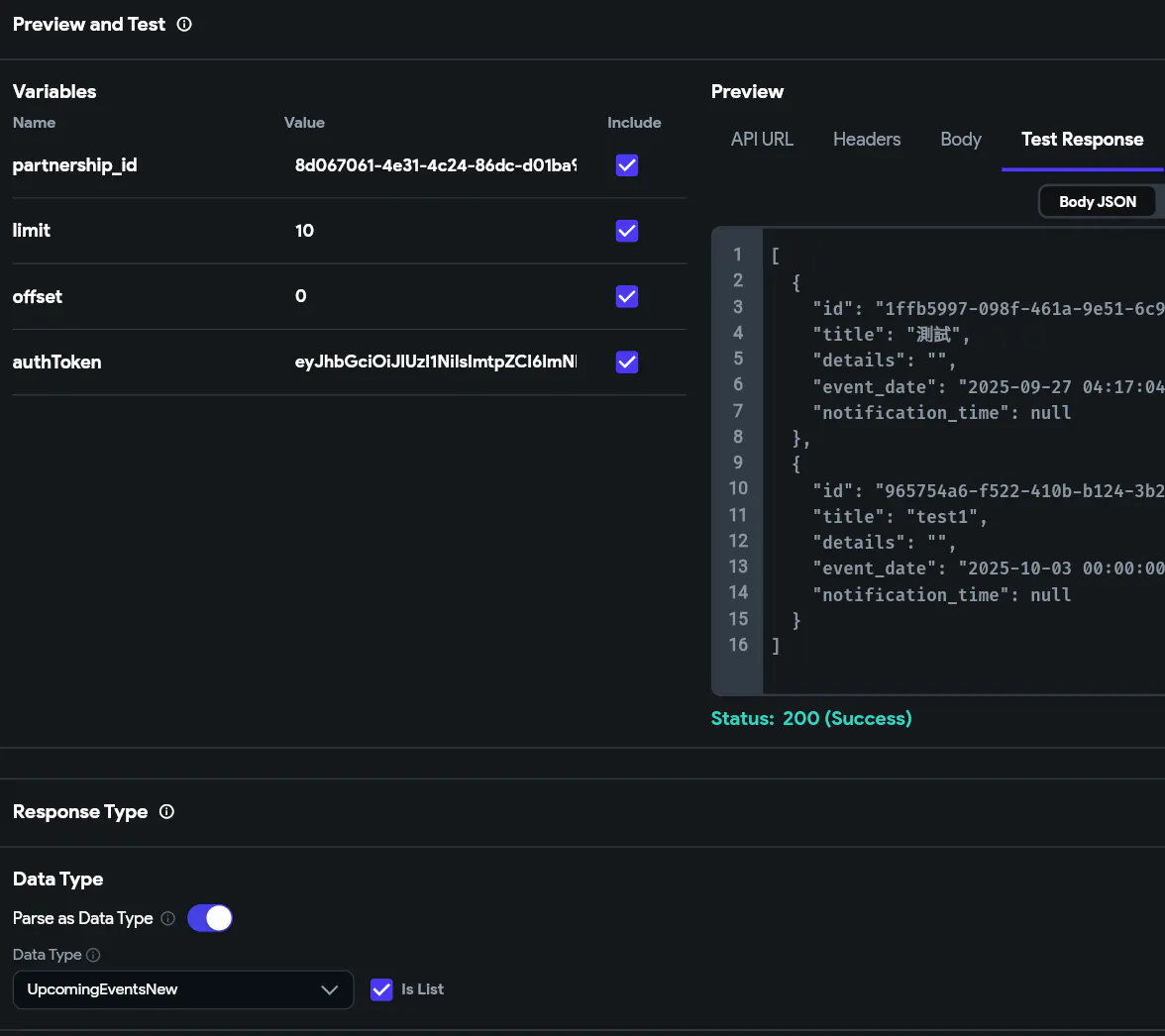
Main Problem: Api call test & response is functioning perfectly, and all Data Type fields are well set. The ListView widget is also properly set (with all necessary variable and parameter). However, the ListView widget just doesn't render (keeps showing the loading indicator) in Test Mode.
How I solved it: the problem why it's working in Api call Test & Response but can't render or show on page is that FF fails to correctly parse the default timestamptz returned by Supabase (SP). Seems like FF will think of timestamptz as String no matter how (default or Unix).
You can either:
a. Like me, I made a slight change in my rpc function: 'event_date', to_char(s.event_date, 'YYYY-MM-DD HH24:MI:SS') or something like that. I basically "print" the String I want directly since it's gonna be String anyway. Let the function calculate it for you.
OR
b. In some cases, u really need the data as DateTime so you can pass it within ur App or play around with it. You can use custom function to change String to DateTime. (Remember, you still receive it as String in Data Type, you just change it after receiving it!) Like this
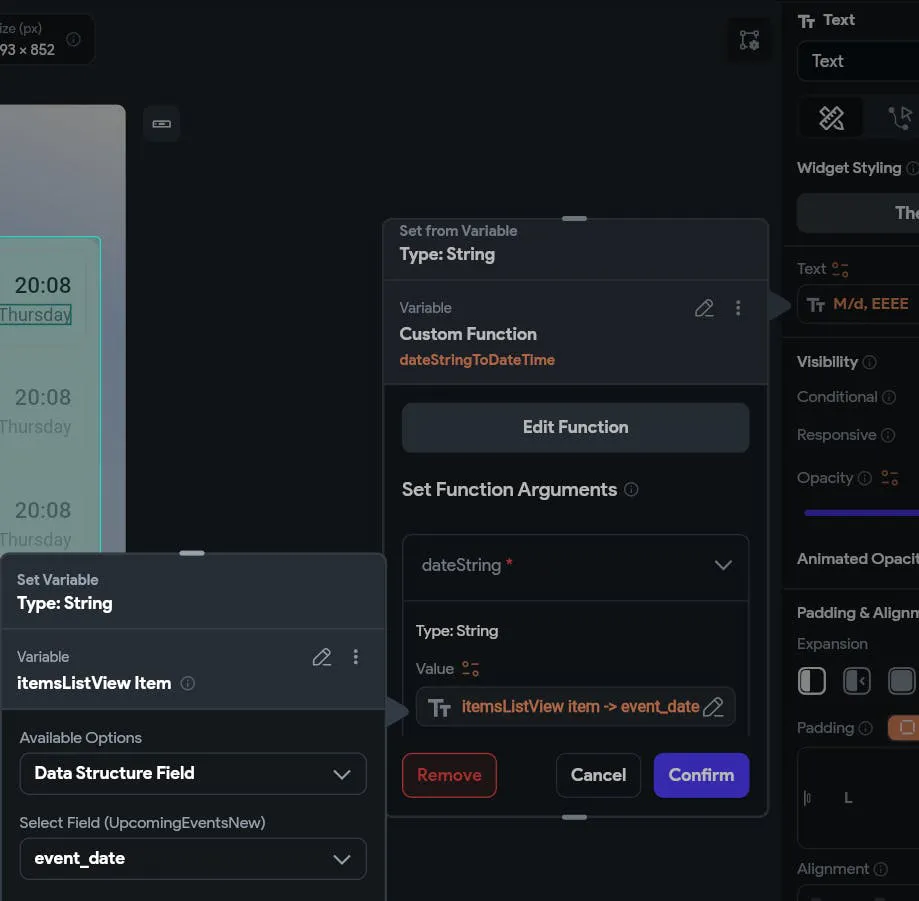
DateTime dateStringToDateTime(String dateString) {
  DateTime dateTime = DateTime.parse(dateString);
  return dateTime;
}
Or a version with nullable value:
DateTime? dateStringToDateTime(String? dateString) {
  if (dateString == null || dateString.isEmpty) {
    return null;
  }
  try {return DateTime.parse(dateString);
  } catch (e) {
    return null;
  }
}
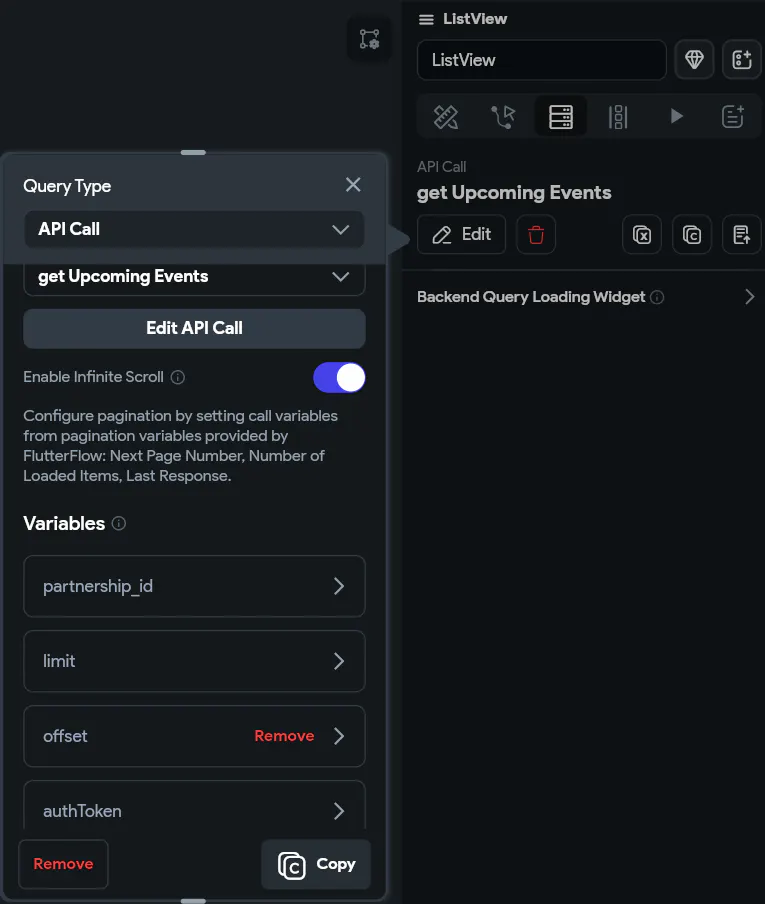
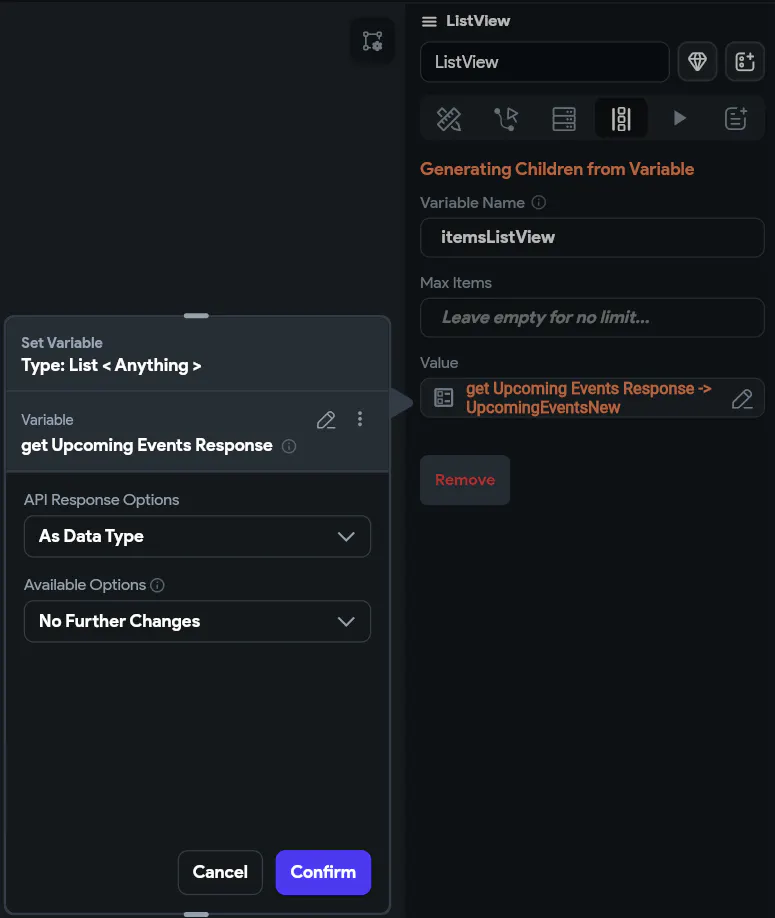
First of all: if you should make sure your function and Api call are set properly (ex. return values; "is List" or not; using "parsed as Data Type" or not (no need to set any JSON path btw) and all the field names in your Data Type need to match your Supabase column name/the keys in the JSON response from your function. Then, make sure you set your ListView widget correctly. (Picture 1,2,3,4)
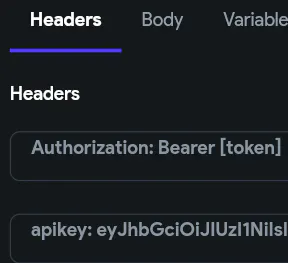
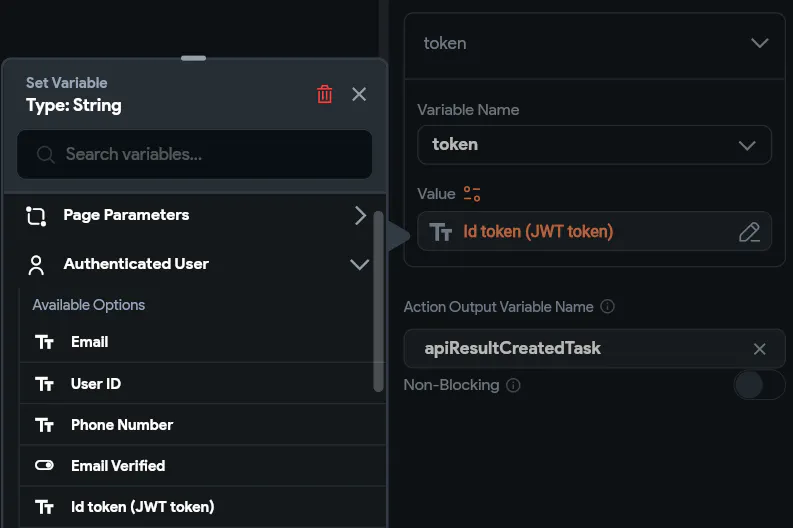
Other Problems I Encountered: 1) First is setting up headers for API call. For rpc function you need to pass the Auth Token and Api key in the request header. Include the Auth Token by setting request header and pass it with variable. (Picture 5,6,7)
2) If you encountered "unexpected null value", you can solve it easily by giving necessary values in your function or on FF(like in Data Type setting) in case of any value is null. In my case I solve it in backend. (Picture 8)
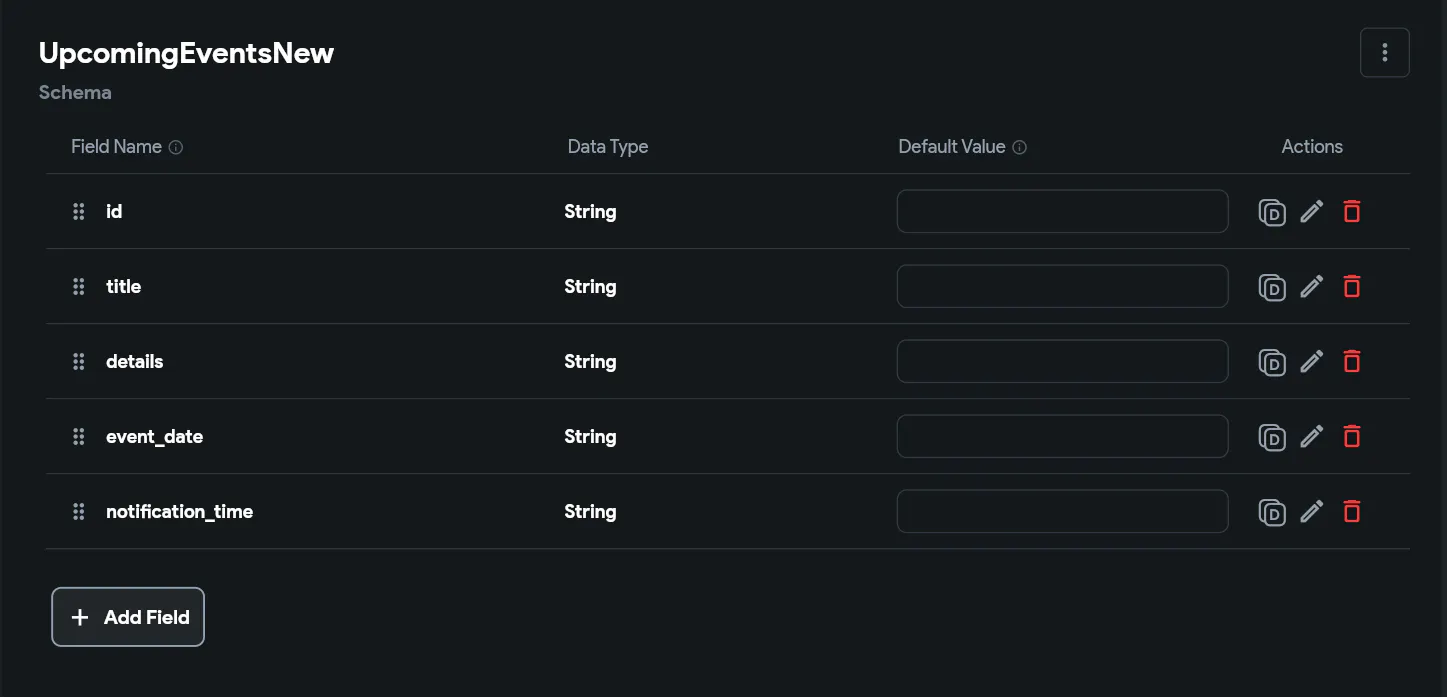


I tried setting default value in Data Type fields, even frontend(giving default value on text widget) but it doesn't really matter. The problem is the Supabase datatype timestamptz and FF can't parse it properly.