


I built my application and i made sure there are no warnings or bugs whatsoever, and i finished the UI designing part. Now with the database, I used Firestore to store the data. The data comes from Raspberry Pi and everything Raspberry pi related is working (Data syncs on time, correct data in Firestore and everything works well there). This is what my database looks like:
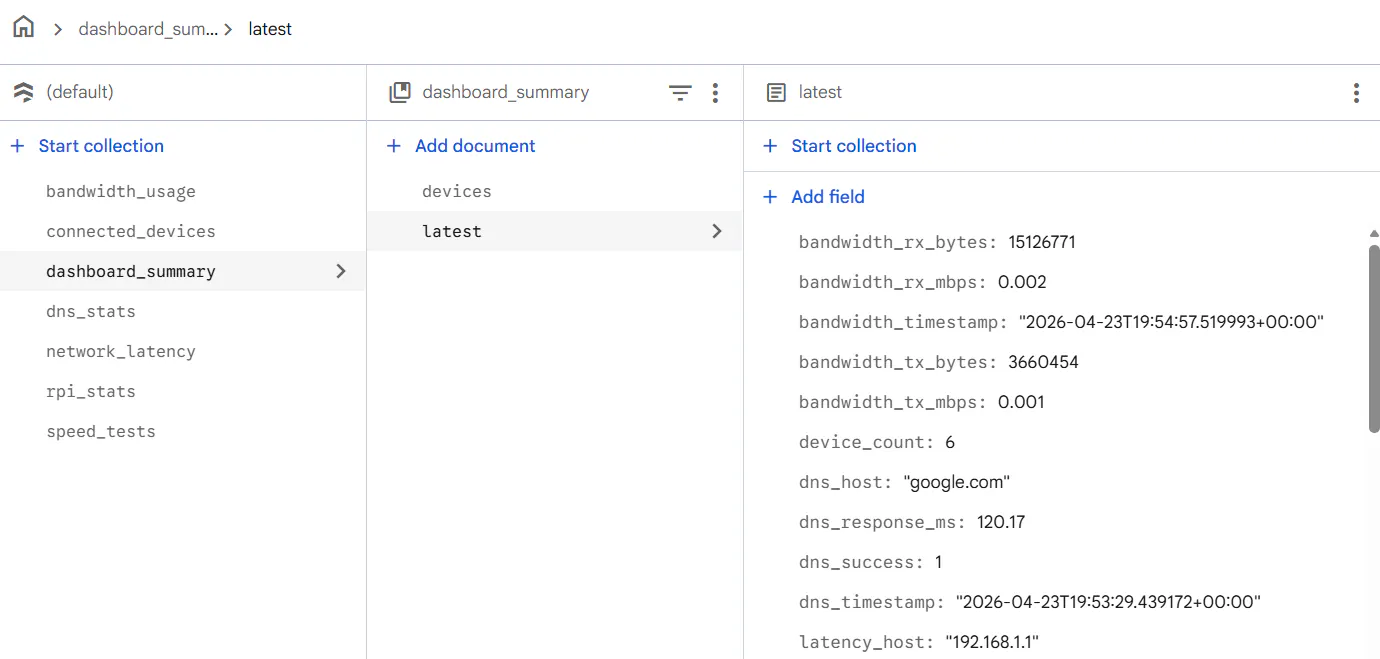
Where i purposely flattened the database for easier reachability.
I can confirm data being received by going to FF > Firestore > dashboard_summary_collection > Manage Content:
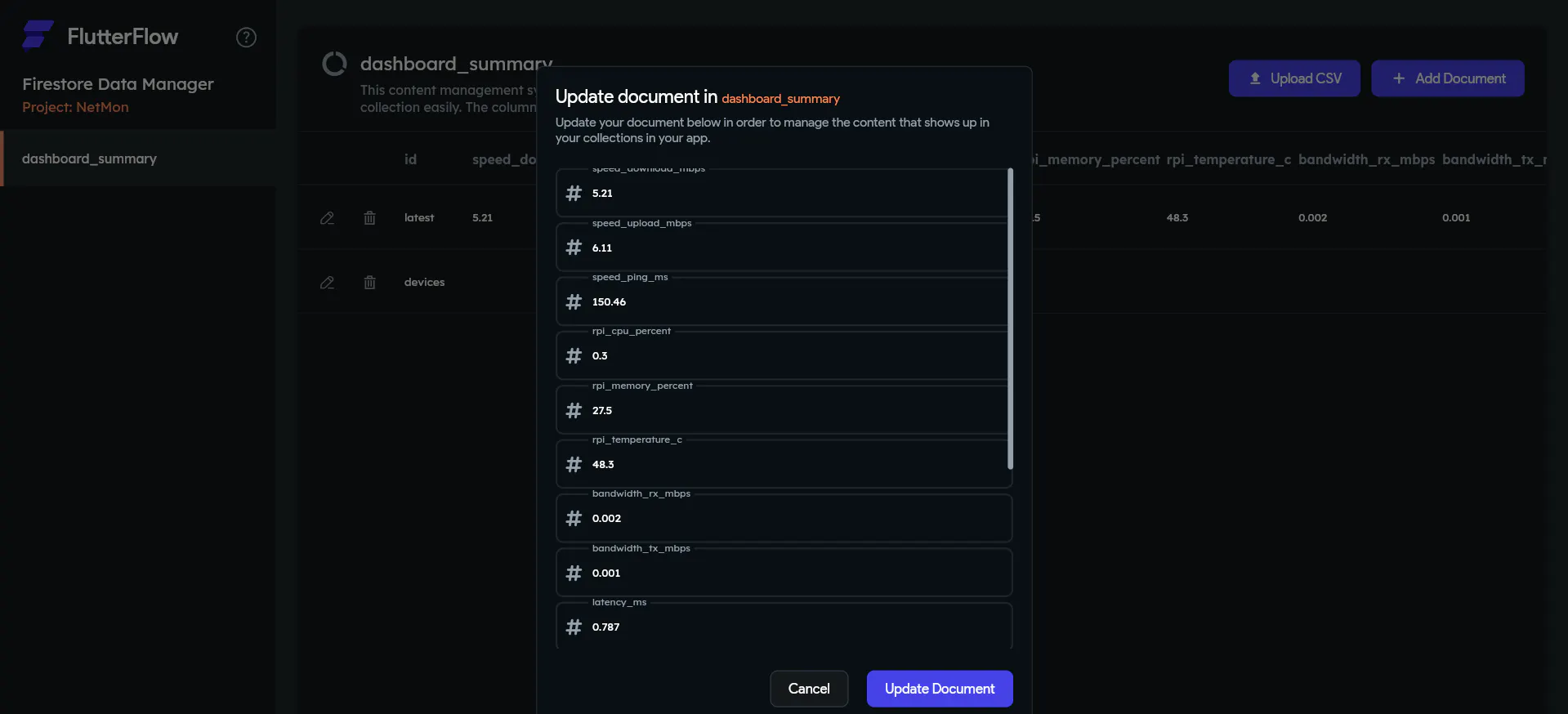
I binded the Data to the corresponding fields (Some of them are custom widgets)
But when i deploy the application on my mobile device nothing is shown. only empty fields and null results.
I can confirm the issue is not my device (rpi) - firestore issue, it's a firestore - flutterflow issue but i can't understand why or where the issue is.
Example of the issue: getting the download speed. in Firestore, it's labeled as speed_download_mbps, in the backend query i selected what's shown here:
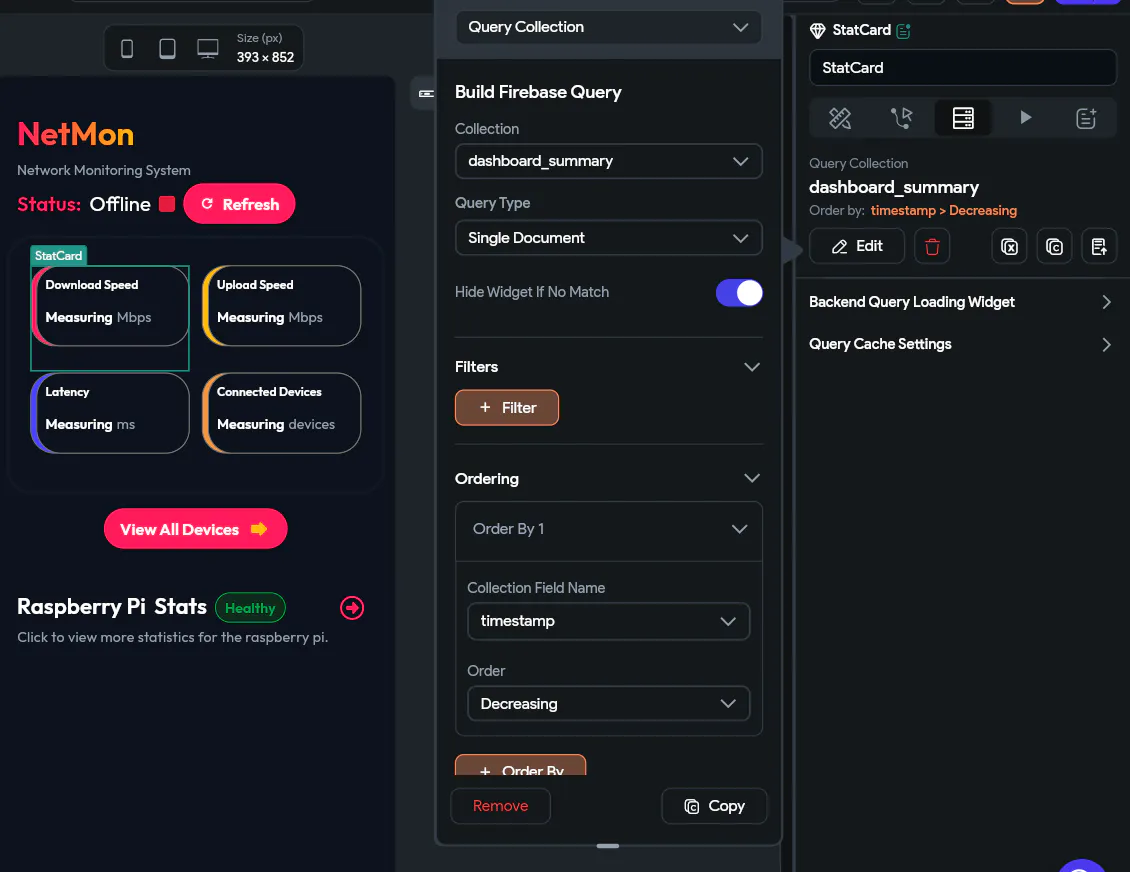
How i did it to help you understand my issue:
In backend query of this widget (called StatCard) I did these steps:
Add Query > Query Collection > Collection: dashboard_summary > Ordering: Collection Field name: timestamp > Order: decreasing. (timestamp is an added field to the firestore database.)
And in the properties tab i selected this:
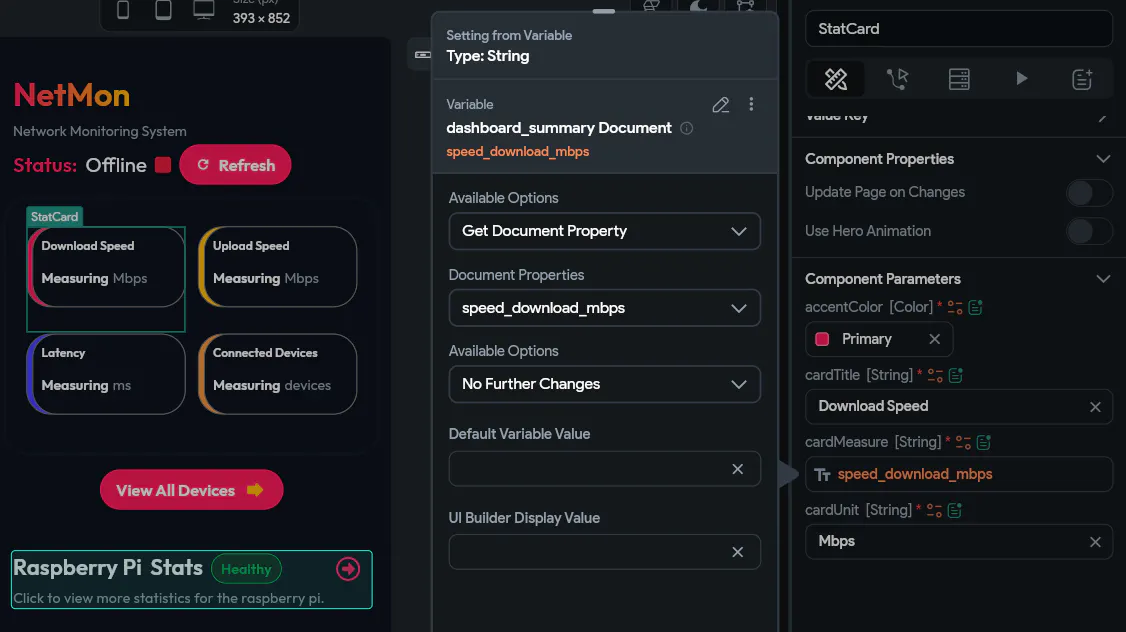
How i did it:
Since it's a custom-made widget there are these weird marks. the original looks like this:

with these component parameters:

Where: accentColor is the color of the card, cardTitle is its title, cardMeasure is the measuring number and cardUnit is the unit of measure.
I bind cardMeasure like this:
Setting from variable (Type: String) > dashboard_summary document (grabbed by the StatCard) > speed_download_mbps > Confirm
Still, no data shown so far..
IF you need further details please let me know. i've been in this issue for days and i am going insane.
i mentioned everything above