


Hello Google Play Support,
I am facing an issue while uploading a new app to the Play Console.
Details:
First App (Already Uploaded): Hermis
New App (Issue): Rati
Status: Internal testing (trying to upload first .aab for this app)
The Issue:
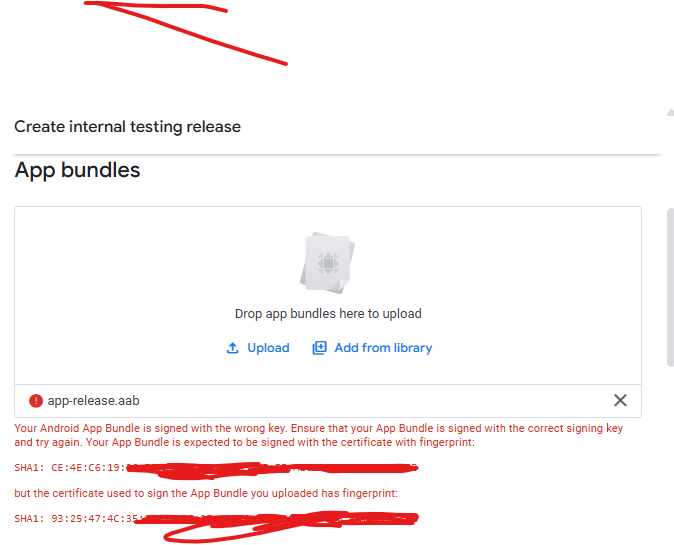
When I try to upload the first .aab for Rati, I get this error:
"Your Android App Bundle is signed with the wrong key.
Your App Bundle is expected to be signed with the certificate fingerprint:SHA1: CE:4E:C6:19:...
but the certificate used to sign the App Bundle you uploaded has fingerprint:SHA1: 93:25:47:4C:35:..."
I used FlutterFlow to generate the .aab, and it seems FlutterFlow is not using the same key that Play Console expects.
What I Need:
How can I find or obtain the correct upload key for Rati, given that this is a new app (not Hermis), and FlutterFlow is m
anaging builds?
Please provide step-by-step instructions so I can resolve this quickly.
I want to make sure:
My first app (Hermis) remains unaffected.
I can successfully upload the new app (Rati) without further signing issues.
Thank you,
Rakesh Sahani
Details
i have try create new key in cloud after that it got same error