


I’m integrating a PayZen payment gateway.
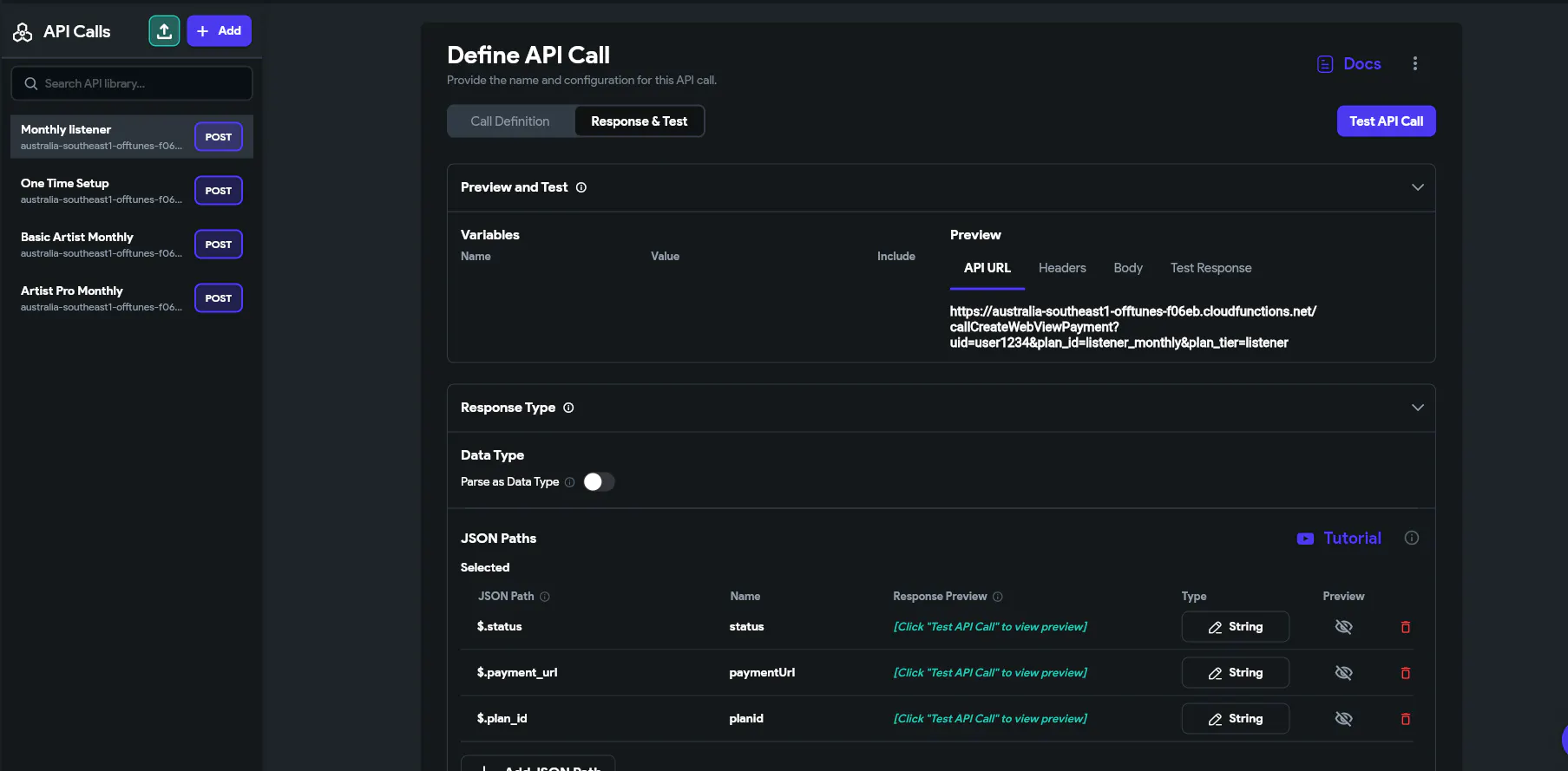
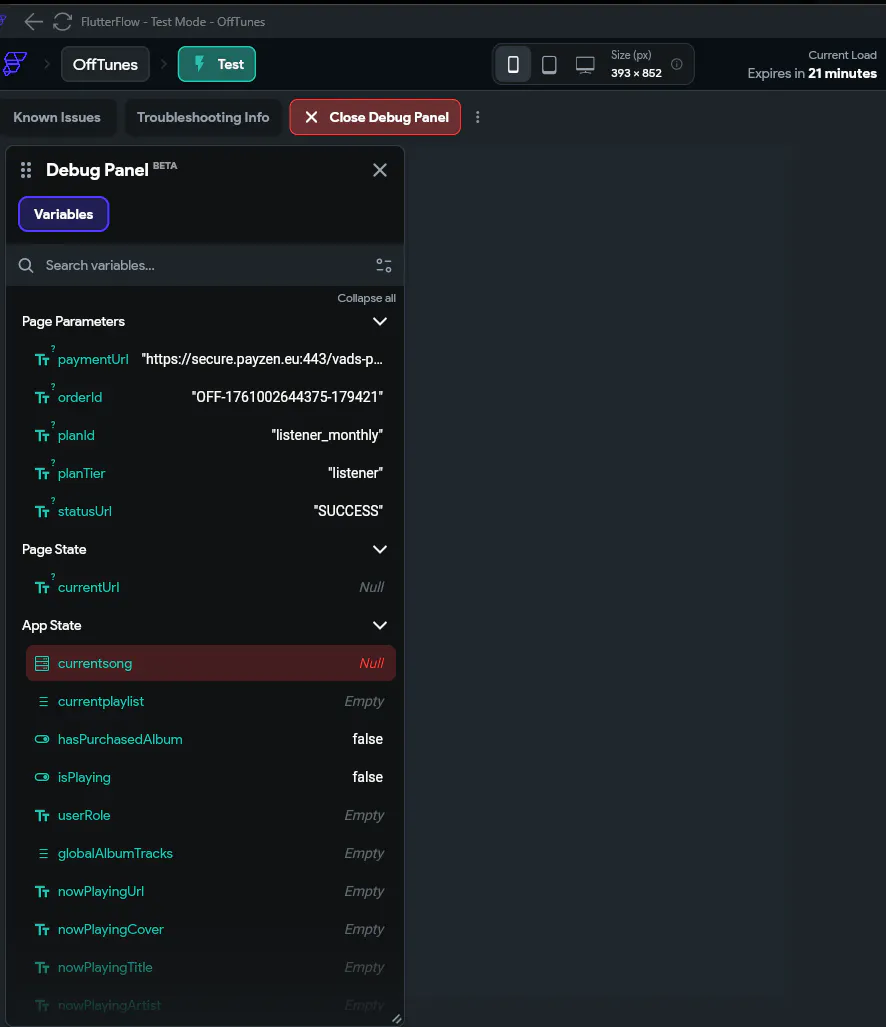
My API call returns the correct payment_url (I can see it in the Debug Panel).
After tapping a subscription plan, the app navigates to a WebView page, but it shows a blank screen.
I’ve confirmed:
The API response is 200 with a valid URL (https://secure.payzen.eu/…).
The WebView is supposed to load that URL.
Setup details:
Body type: x-www-form-urlencoded
API variables: uid, plan_id, plan_tier
WebView page has parameter: paymentUrl (String)
Action flow: API Call → Navigate to WebView Page → Pass parameter paymentUrl = PayZen Payment Response.payment_url
Question
:
What’s the correct way to bind the WebView to the paymentUrl parameter so that it loads automatically?
Is there any known issue with loading external HTTPS payment pages inside WebView?
I’ve already confirmed that the backend and API integration are working correctly.
Tested the endpoint in Cloud Shell → received 200 OK with valid PayZen payment URL.
In FlutterFlow, API Call works and the paymentUrl field is visible in the Debug Panel.
Mapped the JSON response fields: status, payment_url, plan_id, order_id.
The WebView page has a String page parameter called paymentUrl.
My button action flow is:
Call API → PayZen Payment
Navigate to WebView Page → Pass paymentUrl = PayZen Payment Response.payment_url
The Debug Panel confirms that paymentUrl has a valid https://secure.payzen.eu/... value.
However, when the page opens, the WebView stays blank instead of showing the PayZen payment form.
I also tried:
Binding the WebView to both the page parameter and a page state variable (no difference).
Showing the paymentUrl text on the screen (confirmed it’s passed correctly).
Waiting for a few seconds in case it was a delayed load.
I suspect it’s either a binding issue or FlutterFlow restricting the external HTTPS redirect.
Any advice on the correct binding or a workaround to display external payment pages inside WebView?
